Monday, December 22, 2008

Hyperbolic Tree Visualization

Ever since I first read about the Javascript Information Visualization (JIT) toolkit, a javascript library that renders hyperbolic tree's and other visualizations directly inside HTML (canvas element), I've wanted to try and integrate that functionality with some jOWL reasoning.
I finally found some time to do that.
Turns out integrating jOWL data with the JIT Hyperbolic tree visualization is a walk in the park. I had the basic example up and running in less than an hour.
Not in the least thanks to JIT library itself and the great documentation on the site.


The result is a quite cool ontology view. It's a nice gimmick, but for most purposes, a regular jOWL treeview will provide a better oversight in my opinion. It should be fairly easy to expand and smoothen out the functionality of that demo. Linking the visualization to existing jOWL components should only require a few lines of code.
I did not put the effort in that for the moment, as I am currently working on a bigger jOWL-related project.


You can see the demo at: HyperBolic Tree demo, it is best viewed in Firefox or Safari, due to Internet Explorer's refusal to adopt the canvas tag (although it will work on Internet Explorer as well, but slower).

Wednesday, October 15, 2008

HTML Templating and OWL data visualisation

One of the challenges of building a dynamic HTML page that works with OWL-DL data has been how to visualize OWL data without knowing in advance what the data will be about.
For any given owl:Class you do not know in advance which properties will be defined, whether it has children, or whether it will have a description (rdfs:comment) or not, or if any terms (rdfs:label) are assigned to it in any given language. You could write custom code for each application, but that will not get us very far and will be very cumbersome.


Much better is to have some sort of dynamic templating system that allows us to fill in the blanks, and I have been looking for something like that ever since I started coding jOWL. From jOWL (5.1) 6.0 on, the User Interface extensions contain a new component called owl_propertyLens. Luckily I didn't have to invent the wheel all by myself. To create this owl_propertylens functionality I found some inspiration in both the
Fresnel abstract box model (created by the MIT - and used in for example the Simile - Exhibit project) and the mjt templating language (MetaWeb Technologies - freebase).


The first implementation was a based on a couple of ideas inspired by the Fresnel display vocabulary for RDF. But, in order to allow templating of SPARQL-DL queries, I had to make a more hybrid approach, so that the various parameters of a query can integrated with our HTML. The result is I think a quite flexible templating system, specifically tailored towards OWL-DL syntax. As a matter of fact most of the visualisation can be specified by modifying the HTML (no javascript options required). An example page that really needed a templating system like this is the jOWL generic Browser page, a page intended to visualize any ontology loaded with the Ubiquity - Firefox Command I wrote recently.


Basics of an owl_propertyLens


A first thing to mention is that I decided to make use of custom data attributes (actually one kind only: data-jowl). This might seem strange to some, but apparently custom data attributes will make it as a new feature for HTML 5. Attributes of the form 'data-...' are valid HTML5. So basically I'm just being a little ahead of time.


The 'abstract box model' uses three kinds of boxes:


  1. The topmost is the resourcebox, it is the HTML that surrounds one given resource, and contains several properties. This is the element you call .owl_propertyLens() on, it should contain the attribute class="resourcebox" and preferably a data-jowl attribute with value specifying the expected type of resource:

    <div class="resourcebox" data-jowl="owl:Class">
    ....
    </div>


  2. Inside the resourcebox you declare propertyboxes: these are the html fragments that encapsulate (surround) a given kind of 'property', in the broad sense of the word. If the 'property' is unavailable then the propertybox will be hidden from view. A propertybox should contain the attribute class="propertybox".
    <div class="propertybox">...</div>


  3. The third and smallest boxes are what can be considered 'valueboxes'. In order to avoid too much nested HTML elements, valueboxes can co-locate with their propertybox elements. They are identified by the data-jowl attribute, for which it's value specifies the kind of result that is expected. A propertybox can contain at max one data-jowl specification.
    Currently the supported values are:

    • term (showing all available rdfs:label's for an ontology element)
    • rdf:ID (the identifier of the element)
    • rdfs:label (a representation name for the element)
    • rdfs:comment (descriptions for the element)
    • SPARQL-DL queries (syntax: sparql-dl + ":" + abstract SPARQL-DL query)
    • permalink: create a permalink for the element
    • rdfs:range and rdfs:domain: for properties, the range or domain
    • owl:disjointWith : disjoints specified on the element.


    For each matching result to a property the data-jowl element (valuebox) will be duplicated.


Valueboxes and examples


From the MJT templating language I borrowed the idea of text substitution. This means that inside a 'valuebox' you designate the parameters to be shown by having an element with text equal to parameter surrounded by curly brackets and prefixed with a dollar sign. That is particularly useful for SPARQL-DL statements. Examples:


  1. Simplest propertylens syntax:
    <div class="propertybox" data-jowl="rdfs:label">${rdfs:label}</div>


  2. Another way of defining a propertybox:
    <div class="propertybox" data-jowl="rdf:ID">ID = <span>${rdf:ID}</span></div>


  3. More complex example, new <li> elements are created for each term present. If no terms are present, then this entire section will not display.
    <div class="propertybox">
    Terms:
    <ul>
    <li data-jowl="term">${term}</li>
    </ul>
    </div>


  4. SPARQL-DL example: to add the current resource as a parameter: use the data-jowl value of the resourcebox in the abstract syntax as in the example below:

    <div class="propertybox">
    Direct children:
    <div data-jowl="sparql-dl:DirectSubClassOf(?c, owl:Class)">${?c}</div>
    </div>


  5. SPARQL-DL example with multiple parameters to show:

    <div class="propertybox" data-jowl="sparql-dl:PropertyValue(owl:Class, ?p, ?t)">
    <span>${?p}</span><span>: </span><span>${?t}</span>
    </div>


Feeding an ontology element to the owl_propertyLens


Like any other UI component, there are two ways to update the template with an ontology element.

var lens = $('#some_element').owl_propertyLens();


  1. propertyChange: pass the owl element inside the propertyChange function:
    lens.propertyChange(jOWL('wine'))


  2. By listening to another component, such as a treeview (automatic updates):
    sometreeview.addListener(lens);


See the jOWL demo's for some examples.


Additional (optional) Javascript parameters


The templating system should be flexible enough to meet most needs. But there may be cases where you need a little extra control. This can be achieved by feeding some additional options with the owl_propertyLens function.


  • onUpdate: a function that will be called each time the template has been updated with a new ontology element.

  • onChange: allows you to specify what should happen with elements referencing a given kind of ontology element (owl:Class, owl:Thing, ..) inside the lens. This allows for example to set up a tooltip that will be displayed each time an owl:Thing reference inside the lens is hovered over. See the jOWL generic Browser page for an example.

  • tooltip = true: removes the lens from the document, to be used as a tooltip within other components.

  • specific data-jowl values: see the jOWL generic Browser page for examples.

    • split: if multiple results are present, then this string will additionally be used to separate results (example: ', ').

    • "a parameter": a function that can be specified for any of the bracketed parameters (example: rdfs:comment) in the template. The function gives access to the specific HTML elements for this parameter.


Conclusion


I don't know about your opinion, but this system seems quite flexible, not in the least thanks to the SPARQL-DL support. It serves it's purpose in many different situations (see Demo's) and so far I have been very happy with the implementation.


Many, but not all jOWL Demo's have been updated, a task for the weeks to come.


David.

Wednesday, September 24, 2008

Ubiquity, OWL-DL file accessibility and jOWL

If you are like me, and often browse to web in search of OWL-DL ontologies, then you have probably wished that there was an easier way to look at these files than just observing the raw OWL syntax.
I'm proud to announce a Ubiquity plugin that allows you to browse any OWL-DL file on the web with jOWL, the semantic javascript library I am developing, no matter where it is hosted.

I had been thinking on writing a Firefox plugin for quite some time for this purpose, even wrote some initial code, as this would be a great application for jOWL. But then came along the amazing Ubiquity.

About Ubiquity


Ubiquity is a Mozilla Experiment that is in two ways incredibly impressive:

  • It allows you to give natural language commands to the browser. Examples include 'map brussels', 'weather paris' or 'email this to {somebody}'

  • It allows you to basically mash up the entire web, avoiding the confinement of one domain only with it comes to looking at data.


The Mozilla blog post is quite instructive on what Ubiquity is about, I suggest you read it if you are not familiar with it yet.

About the jOWL Extension script to Ubiquity


As it turned out, writing the command was pretty straightforward. It is also very small in size (3KB only). Basically it feeds the OWL-DL document to a generic jOWL-Browser page I have set up. This browser page does all the heavy (jOWL) work, so even users unaware of javascript can use jOWL to browse OWL-DL files. Any issues and goodies are due to the jOWL library (which I continue to improve). The jOWL browser page contains the latest additions to the jOWL library (HTML templating and SPARQL-DL). I plan to write about and release a version update containing this functionality in the coming weeks.

Installing the functionality (Firefox Only)


  1. Get/Install the Ubiquity Natural Language commands extension from Mozilla

  2. Install the small (3 KB) script that enables the 'view_ontology' command by going to this page

  3. Go to a published OWL-DL file (examples below), open ubiquity and choose view_ontology


Tested Ontologies


The Ontologies must be expressed in OWL-DL.


If you encounter any issues, post to the Discussion group and I'll make sure to take them into account and update the functionality progressively. One thing I noticed already is that, if it is your first visit to the jOWL Browser page, the page can load empty. I'm looking into it, but the problem should be resolved by trying the same command once more on the OWL-DL file.

One more note, the viewer can also be used to peek at local OWL-DL files (for example if you are writing your own Ontology in OWL-DL syntax). Just load the file in Firefox and use the same Ubiquity command on it.

Hope you like it!

Wednesday, August 20, 2008

Cell Cycle Ontology hosted at OntologyOnline.org

I'm proud to say that OntologyOnline now hosts the Cell Cycle Ontology.

The Cell Cycle Ontology is a wonderfully rich ontology (59.000 entries), focused around cell cycle proteins, genes and interactions. A great resource if you are dealing with biochemistry, biomedicines or any other related field.
Due to it's sheer size it has been problematic to get a good look at this ontology in the past, but not anymore. The version present at OntologyOnline is the composite ontology, collecting information on four different model organisms: Arabidopsis thaliana, Saccharomyces cerevisiae, Schizosaccharomyces pombe and Homo sapiens (us humans).

It extends to Gene Ontology (that we also host), so there is a little overlap, but if you want to jump into the fray a good place to start would be a search on Cell Cycle.

Monday, July 14, 2008

jOWL status update


I packaged the latest development version of jOWL into a 0.5 release, available at Google Code. jOWL is an AJAX/javascript extension to jQuery that I am developing. The jOWL library parses and reasons with OWL-DL documents. Supported browsers for this release are Internet Explorer 7 and Firefox 2 & 3.


This release is accompanied by several new and impressive demo's (in my humble opinion). These make use of the new functionalities that have been incorporated so far. Below are some important highlights.


Reasoning over Individuals: Demo 2: jOWL integration with Simile Exhibit


Simile Exhibit is an MIT project that allows complex data visualisations to be defined entirely on the client-side (javascripted). This means no server-side scripting is needed (no PHP, Ruby, JSP, ASP, ...) and no database access is required. In Exhibit, data is defined in a rich, but flat, JSON format.

The jOWL library is designed with similar ideas and goals in mind, but focuses on OWL semantics and vertical search instead. So on the one hand jOWL takes into account subsumption/inheritance, but on the other hand Exhibit has powerful visualisations. I believed it would be an interesting experiment to try and reconcile the two. The results of this labor can be seen at the jOWL - Exhibit demo page that has been set up. jOWL loads the OWL file, grabs all instances of the specified class (wine), grabs all restrictions (relations) applicable for these, and converts this into a JSON data format that Exhibit can read. Exhibit then takes care of the further visualisations and filtering.


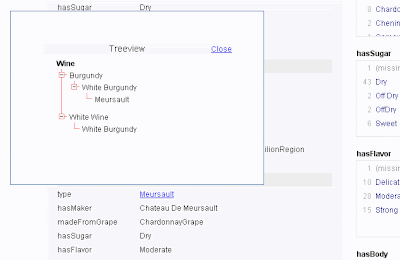
The Exhibit results also hook back to some jOWL functionality, which allows visualisation of a little more supporting information. Clicking on Meursault in the below example (image) shows the ontological classification of this type of wine.


jOWL Exhibit Demo - screenshot


Ontology Browsing


One item on my todo list was to expand the tests and demo's to include more diverse types of OWL-DL files. Even though OWL-DL is a standard, there are alternative ways to express things. In general, ontology elements are uniquely referenced by the attribute 'rdf:ID'. It is however also possible to use external declarations only, by means of the 'rdf:about' attribute and external URI's. This has some particular benefits, most importantly the identity of the ontology elements always points to one and the same location, no matter the location of the OWL file, and therefore is common practice in building ontologies. The external URI should then declare the ontology elements as well at the specified location, but funnily enough this is often overseen. Previously jOWL only indexed elements referenced by 'rdf:ID', but this has now been expanded to also include elements only referenced through 'rdf:about'. The concrete result of this rewrite is that ontologies like the Basic Formal Ontology or the Ontology of Biomedical Investigations can now also be properly visualised with jOWL.


Another change is that the foundations for a new User Interface component are being drafted. This new component is meant to visualise descriptions, labels, disjoints, outgoing non-hierarchical relations, etc... The prototype (under development) can be seen for example in the BFO (Basic Formal Ontology) demo. Hand in hand with this component is the ability to use permalinks, links that allow you to externally reference a given owl:Class. Examples of the permalink functionality is also visible in that demo.


Documentation, and visualisation of RDFa embedded OWL syntax


Documentation was somewhat lacking in the past, but I put in an effort to create it. And even more, jOWL is used to visualize it. Initially I defined the documentation in an OWL-DL file. I kept that, now outdated, owl file accessible, because it demonstrates how to include HTML syntax in rdfs:comments (by wrapping in CDATA tags). But I decided to take another approach in the end with this documentation. Instead of loading an OWL-DL file, all the documentation resides in an html file, which is enriched with RDFa markup. The RDFa indicates which ontology classes exist, along with their descriptions ('rdfs:comments') and more. jOWL then extracts an OWL-DL file directly from this RDFa-enriched html page, and adapts the page to visualize it the jOWL way instead. Basically this is a real application to what I previously wrote in the blog post 'Embedding OWL syntax in HTML with RDFa'.


Some people may have doubts on this approach, and I must admit I haven't entirely made my mind up on the applicability of it as well. For one it is only suitable if the OWL syntax remains simple, as for example in the case of documentation, where hierarchical information (vertical representation of data) is enough. But it does come with some major advantages:


  • A big plus, just being practical: Content is accessible to search engine spiders and people who disable javascript. Ergo it solves the search engine access issues always seen with any other AJAX implementation.

  • It is much simpler & userfriendly than writing an OWL-DL file. Still requires some effort. But (in combination with jOWL) it seriously lowers adoption barrier for using OWL.

  • The flat representation of the documentation is hidden, and instead you the user is presented with a more dynamic/intelligent view on that data.


And finally: The link to this documentation, which serves as a demo on it's own.


Hope you enjoy the new demo's,

David.

Tuesday, May 13, 2008

TreeView for jOWL

There is an update to the jOWL javascript library.
Version 0.2 contains:

  • A TreeView component (see jOWL page for a demo) in jOWL_UI.
  • Numerous code improvements.
Can be downloaded at the google project page for jOWL.

jOWL is a jQuery dependent javascript library that loads and reasons over OWL documents. See also the original Blog post on jOWL.

Tuesday, May 6, 2008

Server-side storage of OWL syntax.

One concern I have with jOWL, a javascript library I am maintaining that parses and reasons with OWL-RDFS documents, is it's scalability.


Scalability is, as we all know, of vital importance in a web setting. A potential drawback of the current jOWL javascript approach is that user is required to download the entire ontology before being able to do anything with it. This might be fine and sensible in the case of small sample ontologies such as the wine ontology (still 79kB) that has been used in previous semantic web demo's at ontology online. Sadly, it doesn't take much imagination to see that it could quickly become gruesome to load when we make things a little more interesting.


So it dawned on me that it would be great to have a more dynamic load mechanism, where you only request or get what you really need. And it just so happens that Ajax (web 2.0 technology), combined with javascript, is perfectly suited for that. So I have been working hard on creating some server side code that is able to respond to Ajax calls and send back pieces of OWL-DL syntax. The image below kind of explains what I wish to achieve.


At the same time I decided to rewrite the database code that allows me to store ontology information, and take a more xml-hybrid like approach. The limitation of the older code I have, is that it attempts to translate every aspect of OWL-RDF into a relational database table format, e.g. concrete row-column values. As I try to put the richer logic of OWL-DL into work, it becomes a real pain & huge overhead in coding to represent all intersections, unions or other advanced constructs in this format. You just can't seem to beat native OWL-XML syntax (Yeay for the OWL people).


The new approach I'm undertaking stores the full OWL syntax directly into the database. The database doesn't store the ontology in one bulky blob, but slices it up into small digestible units, each unit corresponding to one defined ontology object (e.g. an object referenced by a unique rdf:ID).
The only real modification to the native OWL syntax is a slight compression / reduction in verbosity. In addition, to allow (I hope) quick access some indexes are created (terms, etc).


For those interested, the very first results of this labor can be seen at the jOWL server test page I have set up. Be warned, it's primordial, it doesn't come with much explanation. There is also no concrete integration with jOWL just yet, that is for later, I guess I still have a long way to go.


You will be noticing that I'm also sticking to using the wine ontology as a benchmark. Not that I'm such a complete wine devotee (with all these wine related demo's I can see how people might come to think of it like that). But seeing that this ontology was originally used by the W3C to illustrate the different aspects of OWL (cfr. OWL language guide) and consequently, in testing out the syntax, I figured I might as well continue the tradition. Not sure how this will scale under somewhat heavier load, but those are problems for later :).